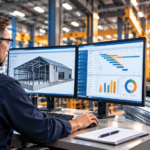


Top ERP Software for Custom Manufacturers
Frontier ERP software with built-in CPQ for sales order management and MES for the shop floor is ideal for manufacturers who design, build, modify, and/or assemble products to order. Thanks to the configurator at the heart of our software, Frontier ERP helps companies streamline operations and compete more effectively in today’s business environment.
Frontier ERP Software Highlights
- OverviewFriedman’s industry-leading enterprise resource planning (ERP) system is designed for manufacturers who want a robust, stable, dependable, and secure system. Whether you deploy on-premises or in the cloud, our Frontier ERP software can help you better manage customer and dealer orders, every point in your supply chain, plus your internal manufacturing and financial processes. Frontier is the key to meeting the increasingly high expectations of today’s customers and distributors and making you their manufacturer of choice. With built-in configure, price, quote (CPQ) capabilities, customers and dealers can order online, even for complex and highly configured products. Frontier ERP software ensures your web data and inventory are always in sync. This means your production and delivery estimates are accurate, too.
- 7 Ways Product Configuration Software Simplifies Manufacturing
- 9 Ways CPQ Software for Manufacturing Will Transform Your Business
A fully featured financial package is part of Frontier. It contains all the basic financial and accounting software tools, plus the flexibility to work with multiple internal companies and different currencies. The advanced product configurator is what truly sets Frontier ERP software apart from other manufacturing systems. It helps manufacturers reduce the number of SKUs yet still maintain control and visibility. At the same time, it allows you to offer nearly endless options and opportunities to customize orders. With its advanced, parametric configurator, Frontier ERP gives you more options and flexibility than the simpler rules-based types of product configurators. Contact us to learn more.
- Features
Sales Order and Customer Management
- Quotation Management
- Internet-based Quoting and Ordering (Frontier eBusiness)
- Bidding and project management
- Order Processing
- Order and Quote Pricing
- Purchase Order Generation
- Performance Measurement and Reporting
- Commission Tracking & Reporting
- Sales Forecasting
- Sales Analysis & Reporting
- Pricing & Promotions
- Order Promising
- iProducts Account Management
- Customer Data Management
- Return Authorizations (RMA)
- Service and Warranty
- Engineering Specification & Control
Product Data Management:
- Data Management
- Configuration Management
- Bidding and Project Management
- Engineering Change Management
- Visual Configuration/CAD Flow
- Configured Product Specifications
Manufacturing Management:
- Advanced Manufacturing Execution MES
- Manufacturing Management
- Production Scheduling
- Supply Chain Management
- Inventory Control
- Material Planning
- Purchasing and Receiving
- Production KPIs and Reporting
- Event Notification
- Quality Assurance
- Advanced Reporting & Analytics
Distribution Management
Financial Management
- Financial Management
- iStatements Financial Reporting
- General Accounting
- Accounts Payable
- Accounts Receivable
- Credit & Collections
- iCash Cash Management
- Product Costing
- Multi-Company Architecture
- Transaction Processing for Multiple Currencies
- General Ledger
- Tax Management
…and more
- Quotation Management
- Industries
Industry consolidation and the high cost of maintaining custom solutions have many companies wondering how best to move forward. Fortunately, Friedman’s industry-specific ERP systems can help. Our robust industry solutions have been developed over several decades with ongoing input from our customers. The business structure and industry requirements already designed into our comprehensive software will help you implement faster, so you can take your business to the next level. Kitchen Cabinets Furniture and Textiles Window, Panel, & Glass Manufacturing Window Fashions Door Manufacturing Building Products Promotional & Ad Specialties Industrial Products Automotive and Aerospace Metal Fabricating …and more If you are in a make-, engineer-, assemble- or finish-to-order business, there’s an excellent chance that a Frontier ERP system can help you reduce costs and operate more efficiently. Contact us or call +1 847 948-7180 to learn more about how we can help you optimize your business processes with Frontier ERP.
- Case Studies
Kitchen Cabinet Makers Select Frontier (PDF) Why Inscape Solutions Selected Frontier ERP (PDF) Why United Furniture Industries Selected Frontier Software (PDF) Don’t see your industry? Contact us for additional examples and references.
Frequently Asked Questions
What types of manufacturing does Frontier ERP support?
Frontier supports make-to-order, configure-to-order, engineer-to-order, and assemble-to-order manufacturing — the four primary modes of custom and semi-custom production. It also supports mixed-mode manufacturing, which is common in larger operations that run both build-to-order and build-to-stock production simultaneously. What Frontier is not designed for is purely repetitive, high-volume discrete manufacturing of standard products — the system’s strengths are in environments where products vary order to order and where configuration, quoting, and production planning need to work together tightly.
How does Frontier’s CPQ capability work within the ERP?
Configure, Price, Quote (CPQ) functionality is built into Frontier rather than integrated from a separate tool — which matters because there’s no synchronization lag between configuration, pricing, and the rest of the ERP. When a customer or dealer configures a product, pricing is calculated in real time based on the engineering rules and cost structures already in the system. The resulting quote ties directly to production scheduling, inventory, and financial management without manual handoffs. This is meaningfully different from bolting a standalone CPQ tool onto a separate ERP, which typically requires maintaining duplicate data and managing sync delays.
What is a parametric configurator and why does it matter for complex manufacturers?
A parametric configurator stores engineering logic — the rules, formulas, and constraints that govern what can and can’t be built — and applies them dynamically to each order. This is distinct from a rules-based configurator, which presents fixed option lists. A parametric configurator can handle dimensional flexibility (any width between X and Y), conditional options (finish A is only available with material B when dimension exceeds Z), and calculated outputs like BOMs, routings, and pricing — all generated automatically from the configuration. For manufacturers of products like cabinets, windows, doors, and furniture where every order involves dimension-driven variation and hundreds of option combinations, a parametric configurator eliminates the manual checking and error-prone processes that simpler systems require.
How does Frontier handle dealer and distributor ordering?
Frontier includes built-in tools for dealer and distributor order entry — eQuote Dealer for dealer quoting and ordering, and eBusiness for web-based ordering through a branded online portal. Dealers can configure products, generate accurate quotes, and place orders directly into the manufacturer’s Frontier system without requiring manual re-entry by the manufacturer’s team. Pricing can be set to standard Frontier pricing or with dealer markup for second-tier customers. Orders placed through dealer tools are immediately visible in production scheduling, inventory, and fulfillment — there’s no batch sync or delay between dealer order entry and the manufacturer’s system.
What does Frontier’s implementation process involve?
Frontier implementations are managed by Friedman’s professional services team and are structured around the specific manufacturing environment of each customer. The process involves data migration, configuration of the product configurator to reflect the manufacturer’s engineering rules, integration setup with any existing systems, and role-based training across sales, production, warehouse, and finance teams. Because the configurator setup requires encoding the manufacturer’s actual product engineering logic, implementation is more involved than a standard ERP deployment — but this upfront investment is what makes the system accurate from day one rather than requiring ongoing manual overrides.
Can Frontier integrate with CAD tools and design software?
Yes. Frontier’s CADFlow module automates the generation of 3D models, drawings, and manufacturing data for each order configuration, working directly with the product configurator. CADFlow integrates with AutoDesk Inventor and can work with existing CAD models the manufacturer already maintains. For manufacturers in industries like cabinets, windows, and doors where customers and dealers use design layout tools, Frontier also supports integration with those tools — allowing designs to be uploaded and converted to quotes and orders without manual re-entry. This eliminates one of the most time-consuming handoffs in custom manufacturing.
How does Frontier handle multi-plant or multi-location manufacturing operations?
Frontier’s multi-company architecture supports manufacturers operating across multiple plants, locations, or business entities. Inventory, production scheduling, and financial management can be managed across locations within the same system, with visibility into the full network. The Distribution Requirements Planning (DRP) module manages inter-plant demand and material flow in multi-plant environments — demand driven from one plant or distribution center to another is controlled within DRP, which runs first to create planned inter-plant demand before MRP processes the supplying plant’s requirements. Multi-currency and multi-entity financial processing are also included for manufacturers with international operations.